5 Best Ways to Troubleshoot a Concrete Mixer Weighing System

Time:2026-09-27 Author:Oliver
0%

A concrete mixer weighing system does more than display a number. It helps operators control batch proportions, limit material waste, and keep production consistent. When the reading drifts, even a small error can affect the mix. A load cell may be overloaded, a cable may be damaged, or buildup around the weigh frame may prevent free movement. Sometimes the cause is less obvious.

How to troubleshoot the weighing system on a concrete mixer? Start with safe, observable checks before replacing parts or changing calibration settings. Record the displayed weight, inspect the load cells and junction box, and look for loose connectors, moisture, hardened concrete, or bent mounting points. Compare readings under known conditions, following the equipment manufacturer’s instructions. Small details matter. A cable pinched against the frame can create intermittent readings that disappear during a quick inspection.

This guide covers five practical troubleshooting methods, from checking power and wiring to verifying calibration and mechanical clearance. It is not a substitute for the mixer’s service manual or a qualified technician, especially when electrical testing or component replacement is required. Take your time. Guesswork can make a simple fault harder to trace. Even careful checks may not reveal everything, and that is worth recognizing before adjusting the system.
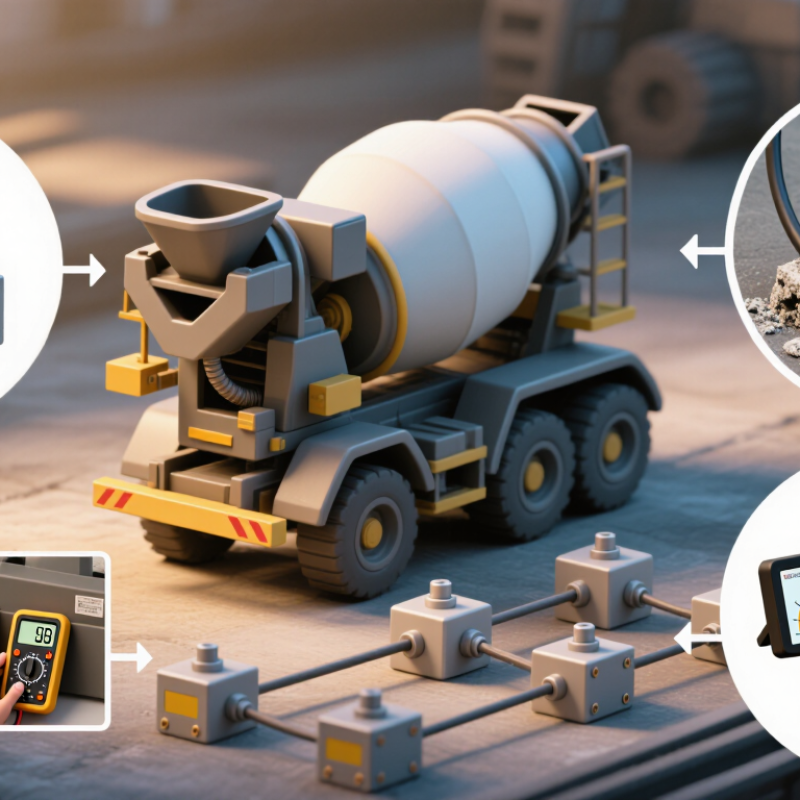
5 Best Ways to Troubleshoot a Concrete Mixer Weighing System

Understand the Concrete Mixer Weighing System

A concrete mixer weighing system turns the force from stored materials into a readable weight. Load cells usually sit beneath aggregate bins, cement hoppers, or water tanks. Their signals pass through cables and a junction box to a weighing indicator. The displayed value helps operators control each batch. Small shifts matter.

A stable reading depends on more than the load cells. Material buildup, a bent support, or a cable pinched against the frame can affect the signal. Check that bins move freely and nothing touches them during weighing. Look for loose connectors, moisture, and visible damage. Record the empty-bin reading before testing with a known weight. A changing zero can point to a mechanical or electrical issue, though it does not identify the cause by itself.

Calibration should follow the equipment maker’s procedure and use suitable test weights. Compare readings at more than one load when possible; one accurate point may hide an error elsewhere. Also confirm the indicator uses the correct settings and units. I used to assume that a drifting display meant a failing sensor. That assumption is not always right. Temperature changes, vibration, or material caught between a bin and its frame can create similar symptoms. Note when the reading changes, and inspect the system under safe, unloaded conditions before replacing parts.

Inspect Load Cells and Mechanical Connections

Inspect Load Cells and Mechanical Connections

Start with the mixer empty and safely shut down. Check each load cell for concrete dust, hardened splashes, rust, or trapped debris around its mounting points. Even a thin layer can create a rigid bridge and distort the weight reading. Small gaps matter. Look for cracked cables, loose plugs, and moisture near connectors. Do not pull on wiring; follow the equipment manual before disconnecting anything.

Examine the frame, bolts, and brackets for movement, corrosion, or contact with nearby guards and pipes. A bent support or binding linkage can prevent the load cells from flexing freely. It is tempting to blame the indicator too early. Check the mechanical path first, and compare readings before and after removing visible buildup. Do not guess at bolt torque; use the specified value, since overtightening may affect the measurement.

Tips: With the mixer empty, record the zero reading. Then apply a suitable known test load and check whether the display responds consistently. Keep people clear of suspended or moving parts, and never work beneath an unsupported assembly. If readings still drift after inspection, document the conditions and ask a qualified technician to test the system. A clean-looking mount is not proof that it is aligned.

Check Wiring, Power, and Signal Integrity

5 Best Ways to Troubleshoot a Concrete Mixer Weighing System

Check Wiring, Power, and Signal Integrity

A drifting mixer reading can start with a loose terminal, not a failed load cell. Switch off power before opening the junction box, then inspect for moisture, cement dust, corrosion, and pinched cable insulation. Look closely at the cable entry points. Small clues matter.

Measure excitation voltage at the load cell and compare it with the indicator manual’s specified range. Then check the millivolt signal under an empty and loaded condition; it should change smoothly, not jump when cables move. A stable reading at the sensor but an erratic display points toward wiring, grounding, or the indicator input. Keep signal cables away from motor power leads where practical, and check shield continuity. A hurried connector check can miss a cracked conductor inside the jacket.

Use a calibrated meter and record readings before changing parts. NIST Handbook 44 (2024), Scales Code, gives Class III acceptance tolerances of ±0.5 division through 500 divisions, ±1 division above 500 through 2,000, and ±1.5 divisions above 2,000 through 10,000. These are verification limits, not wiring specifications, but they help judge whether instability is significant. If readings remain noisy, test each load cell separately and compare results. I would recheck the grounding path even after it looks clean; visual inspection is not proof of electrical integrity.

5 Best Ways to Troubleshoot a Concrete Mixer Weighing System

Check wiring, power, and signal integrity against an illustrative load-cell response.

How to use this chart: It shows the ideal linear differential output for a 2 mV/V load cell supplied with 5 V excitation: 0–10 mV across its rated load range. This is a reference model, not field measurement data.

Five checks: Inspect cable and terminal connections; confirm excitation voltage at the sensor; verify polarity and continuity; measure the differential signal across signal + and signal −; check for unstable readings caused by loose connections, moisture, or electrical interference. Follow the load-cell and indicator specifications for actual limits.

Verify Calibration and Controller Settings

A concrete mixer’s weighing fault may begin with one small number: the empty-bin zero. Clear material from the scale, confirm the display returns to zero, then compare readings against certified test weights across the working range. A zero check alone can miss span error. Watch for a drifting display, loose wiring, or a load cell touching the frame; each can distort readings.

ASTM C94/C94M-23 gives useful batching benchmarks: cementitious materials and water are generally weighed within ±1% of the required amount, aggregates within ±2%, and admixtures within ±3%. These are specification tolerances, not proof that every plant controller is configured correctly. Check the controller’s units, scale capacity, calibration factor, tare mode, and material targets against the equipment documentation. A mistaken kilograms-to-pounds setting can make a plausible display dangerously misleading.

Test each bin separately, then run a controlled batch and compare indicated weights with actual scale readings. Confirm that cutoff and in-flight compensation settings match the material flow; gates often keep feeding after the stop signal. Keep dated calibration records, including test weights, readings, and adjustments. If values remain inconsistent, inspect wiring and mechanical binding before changing calibration factors. It is tempting to blame the sensor. Sometimes the setting is the problem. Don’t guess.

5 Best Ways to Troubleshoot a Concrete Mixer Weighing System - Verify Calibration and Controller Settings

Troubleshooting Method Common Symptom What to Check Recommended Action Good Result
1. Verify zero and tare The display shows a changing or nonzero reading when the mixer is empty. Check that the mixer is empty, settled, and not touching a chute, pipe, guard, or other structure. Look for buildup or material trapped around the weigh structure. Clear obstructions and buildup, allow the reading to stabilize, then perform the controller’s zero or tare procedure according to the equipment instructions. The empty reading returns consistently to the configured zero range.
2. Check calibration with a known load Displayed weight differs from the actual load, or the error increases as the load increases. Review the calibration date, calibration method, test-load value, and whether the test load is traceable and suitable for the system’s capacity. Follow the scale and controller instructions to check or recalibrate with a known test load. Do not change calibration factors by guesswork. Repeated checks agree with the known load within the system’s specified tolerance.
3. Confirm controller settings Weight is consistently scaled incorrectly, units are unexpected, or readings appear unstable. Verify units, scale capacity, decimal position, load-cell sensitivity settings, zero range, filtering, and any recipe or target settings against the equipment documentation. Record the current configuration, correct only confirmed mismatches, and follow the manufacturer’s setup procedure. Avoid changing multiple parameters at once. The displayed units and readings match the approved configuration and known-load checks.
4. Inspect load cells and wiring Readings jump, drift, or change when cables or nearby equipment move. Inspect cables, connectors, junction boxes, grounding, and load-cell mounts for damage, moisture, loose connections, corrosion, or mechanical binding. Isolate power before electrical inspection where required. Repair damaged connections and have qualified personnel test load cells and signal wiring. Signals remain stable during operation, with no visible wiring or mounting defects.
5. Check vibration and material flow The reading fluctuates during mixing, filling, or discharge, or the final batch weight is inconsistent. Observe whether vibration, impact, flexible connections, material buildup, uneven loading, or feed delays coincide with the changing reading. Check mechanical clearances and supports, keep flexible connections from carrying unintended load, and review controller filtering and fill or cutoff timing within approved settings. Readings settle consistently, and repeated batches meet the documented process tolerance.

Safety note: Follow site lockout procedures before inspection or repair. Use the applicable equipment documentation and have calibration or electrical work performed by qualified personnel.

Test the System Under Operating Conditions

A static zero check can miss faults that appear when a concrete mixer is running. Test the weighing system during normal batching, with the mixer, conveyors, and gates operating. Record each ingredient’s target and displayed weight. Watch for delayed readings, sudden jumps, or a value that keeps drifting after material flow stops. Small clues matter.

ACI 117-10 specifies batching tolerances of ±1% for cementitious materials and water, ±2% for aggregates, and ±3% for admixtures. Use these figures as a practical reference, while checking the project’s governing specification. Run several batches at different load sizes. Compare recorded weights with an independent, recently verified reference; do not assume an empty scale proves accuracy. Check the display during loading and after the gate closes. Does it settle? Does vibration change the reading? Note the answer.

A field test can be messy. Material may cling to a gate, and a rushed operator may interrupt the feed. That is useful evidence, not noise to ignore. Repeat the test after cleaning buildup and stabilizing the equipment. Keep the batch tickets, target weights, actual readings, and operating conditions together. If the error grows with load size, inspect calibration and load-cell mounting before changing the batching recipe. A recipe adjustment can hide the fault. It cannot repair it.

FAQS

What should I inspect when a mixer’s weight reading drifts?

Switch off power before opening the junction box. Check for loose terminals, moisture, cement dust, corrosion, pinched insulation, and damaged cable entries. A clean-looking connection can still hide a cracked wire.

How can I tell whether wiring or the indicator is causing unstable readings?

Measure excitation voltage against the indicator manual’s range. Check the millivolt signal with an empty and loaded scale. It should change smoothly. If the sensor reading is stable but the display jumps, inspect wiring, grounding, and the indicator input.

What calibration checks should I perform?

Clear the bin and confirm the display returns to zero. Then test certified weights across the working range. A zero check alone can miss span error.

Which controller settings can produce misleading weights?

Verify units, scale capacity, calibration factor, tare mode, and material targets against equipment documentation. A kilograms-to-pounds mismatch can make a plausible number wrong.

How do I check whether batching is accurate during normal operation?

Record target and displayed weights while the mixer, conveyors, and gates run. Watch for delayed readings, sudden jumps, or drift after material stops flowing. Test several batch sizes.

What tolerance figures can I use as a reference?

The article cites typical benchmarks of ±1% for cementitious materials and water, ±2% for aggregates, and ±3% for admixtures. Check the project specification too; reference figures do not confirm controller settings.

Why should I inspect gates and material flow?

Gates may keep feeding after the stop signal, and material can cling to them. Record whether the display settles after the gate closes. Clean buildup and repeat the test.

What should I record during troubleshooting?

Keep dated calibration results, test weights, target and actual readings, adjustments, and operating conditions. These details help reveal patterns. Don’t guess.

Conclusion

A concrete mixer weighing system depends on several parts working together: load cells measure the weight, mechanical connections transfer the load, wiring carries the signals, and a controller displays and processes the readings. How to troubleshoot the weighing system on a concrete mixer? Start by understanding how these components interact, then inspect the load cells and their mounting points for looseness, damage, buildup, or uneven contact that could affect measurements.

Next, check that cables and connectors are secure and free from visible wear, and confirm the system has a stable power supply and signal. Review calibration and controller settings to ensure they match the mixer’s setup, and recalibrate if readings are consistently inaccurate. Finally, test the system under normal operating conditions, comparing its readings at different loads and observing whether they remain stable. Working through these checks in sequence can help identify common problems and determine whether further service is needed.

Oliver

Oliver

Oliver is a seasoned marketing professional with a wealth of expertise in driving brand awareness and engagement. With a deep understanding of our company's product offerings, he consistently delivers high-quality content that enriches our professional blog. His insights not only shed light on......